
July 25, 2026
Miami-Dade Building Permit Documents Checklist 2026

Miami-Dade Building Permit Documents Checklist 2026
What you need for a Miami-Dade building permit application
Getting a building permit in Miami-Dade County starts with one non-negotiable rule: your application package must be complete before the county will route it for review. Missing a single document, using an outdated form, or submitting plans without a proper digital signature sends your application straight back to you. The Miami-Dade County Building Department requires permits for any construction, alteration, repair, or installation of regulated systems on properties with folio numbers starting with “30,” which identifies unincorporated Miami-Dade County. Municipalities inside the county run their own permitting offices, so confirm your folio before you start.
Here is the core building permit documents checklist for Miami-Dade:
- Signed and notarized Building Permit Application — the standard county form, signed by both the property owner and the licensed contractor; outdated versions are rejected outright
- Fee sheet — completed and signed by the contractor, specifying the permit category and applicable fees from the current Building Fee Schedule
- Electronically sealed construction plans — all drawings in PDF format, digitally signed and sealed by a licensed Florida engineer or architect using a verifiable digital signature
- Contact sheet — required for every submittal through the Plan Status and Application Submittal Portal
- Notice of Commencement (NOC) — recorded with the Clerk of the Court and posted on the job site before the first inspection; required for most projects
- Proof of property ownership — deed, tax record, or folio documentation confirming the applicant’s interest in the property
- Contractor licensing documents — Florida DBPR license number, certificate of competency, and insurance certificates for the contractor of record
- Zoning compliance documentation — confirmation that the proposed work conforms to Miami 21 zoning regulations, including setbacks, lot coverage, and use classifications
- Environmental and FEMA flood zone documents — elevation certificates or DERM approvals when the property sits in a Special Flood Hazard Area
- Project-specific addenda — fence addendum, pool barrier form, or other supplemental forms depending on the scope of work
- Release of Lien and Affidavit — included in the standard building permit packet; required at project completion to clear the property title
Paper submissions are accepted but trigger a conversion fee and add time to the review cycle. Electronic submission through the Plan Status and Application Submittal Portal is the standard path for 2026.
Table of Contents
- Document requirements broken down by permit type
- How to submit your building permit application in Miami-Dade
- Common causes for permit application rejection and how to avoid them
- What the Notice of Commencement actually does for your project
- Permit-exempt versus code-exempt work: a critical distinction
- Solar PV permits in Miami-Dade: what the documentation actually requires
- Your pre-submission checklist and practical tips for Miami-Dade permit readiness
- Key Takeaways
Document requirements broken down by permit type
Every permit category in Miami-Dade shares the core documents above, but each type adds its own layer of required paperwork. Knowing exactly what your permit category demands prevents the back-and-forth that stalls projects for weeks.
General building permits (commercial and residential)
Both commercial (Category 01) and residential (Category 02) building permits require the full core package plus structural plans reviewed against the Florida Building Code and Miami-Dade’s High Velocity Hurricane Zone (HVHZ) standards. Commercial projects typically also need a Water and Sewer Review Checklist and a Public Works review. Residential additions and renovations require home renovation permit documents including a site plan showing setbacks and lot coverage per Miami 21 zoning.
Electrical permits
Electrical permits require a completed Electrical Fee Sheet signed by the licensed electrical contractor, plus plans showing panel schedules, load calculations, and circuit layouts. The fee sheet must identify the correct electrical category code. For solar photovoltaic systems, the code is G137. All plans must be digitally signed and sealed by a licensed electrical engineer when the scope requires engineering. The electrical permit submittal workflow in Miami-Dade routes plans simultaneously to multiple departments through the portal, so every document must be correctly labeled from the start.

Mechanical permits
Mechanical permit requirements in Miami-Dade cover HVAC systems, exhaust systems, and any regulated mechanical installation. Required documents include the signed and notarized permit application, a Mechanical Fee Sheet, and plans showing equipment specifications, duct layouts, and load calculations. Equipment must carry a Miami-Dade Notice of Acceptance (NOA) or Florida Product Approval for HVHZ compliance. The plans must be sealed by a licensed mechanical engineer when the system exceeds the threshold for contractor-only certification.
Plumbing permits
A plumbing permit in Miami-Dade requires the standard application, a Plumbing Fee Sheet, and plans showing fixture counts, pipe sizing, and connection points to the municipal water and sewer system. Projects involving septic tanks require prior approval from the Florida Department of Health. Water and sewer connections on commercial projects trigger a separate Water and Sewer Review Checklist submitted to WASD (Miami-Dade Water and Sewer Department).

Fence permits
Fence permits (Category 18) require the core application package plus a Fence Addendum form. The addendum captures fence height, material, location relative to property lines, and confirmation of Miami 21 setback compliance. A survey or site plan showing the fence location is required. Roadway Impact Fees may apply to fence permits in certain categories, so the fee sheet must reflect that calculation.
| Permit type | Key additional documents |
|---|---|
| General building (commercial) | Water and Sewer Checklist, Public Works review, structural plans |
| General building (residential) | Site plan with setbacks, HVHZ structural details |
| Electrical | Electrical Fee Sheet with category code, load calculations |
| Mechanical | Mechanical Fee Sheet, NOA or Florida Product Approval, equipment specs |
| Plumbing | Plumbing Fee Sheet, fixture schedule, WASD review (commercial) |
| Fence | Fence Addendum, survey or site plan, Impact Fee calculation |
| Solar PV | FSEC certification form, roof plan, wind uplift data, solar disclosure form |
| Shed/utility storage | Site plan, structural details, HVHZ compliance documentation |
Pro Tip: Always download your fee sheet and permit application on the same day you plan to submit. Miami-Dade updates its official forms without notice, and an outdated version will get your application rejected at intake.
How to submit your building permit application in Miami-Dade
The Plan Status and Application Submittal Portal handles all new building permit applications, corrections, revisions, extensions, reissuances, subsidiary permits, and change-of-contractor requests for properties processed at the Miami-Dade Permitting and Inspection Center or Overtown Transit Village. Getting the submission right the first time is the difference between a smooth review and a correction loop that costs weeks.
-
Prepare your complete document package. Gather the signed and notarized permit application, contact sheet, fee sheet, and all supporting documents. Every form must be the current official version from the Miami-Dade Building Department.
-
Prepare your PDF plan set. All drawings and supporting documents must be in PDF format. Each PDF must be flattened (single layer, no embedded objects), unencrypted, and scanned at no greater than 300 dpi. Each plan sheet must be submitted as a separate PDF file.
-
Name your files correctly. File names must start with the discipline code followed by a sequential number (for example, A-101 for architectural sheet 101). No leading or trailing spaces, no special characters like parentheses or question marks. The total upload for a plan set cannot exceed 250 MB.
-
Digitally sign and seal all plans. Licensed engineers and architects must apply a verifiable digital signature, not a scanned image of a handwritten signature. Generic scanned signatures are rejected. For more on what reviewers look for in sealed plans, the sealed plans submission guide covers the technical requirements in detail.
-
Select the correct plan type in the portal. Choose “New Application” for new submittals. Choose “Rework to C, M, N, or UP number” for corrections to an existing process number. Selecting the wrong type creates duplicate entries and requires manual correction by county staff.
-
Upload and submit. Click “Add Files,” select all documents, then click “Submit Application.” Wait for the upload to complete fully before closing the browser. The portal will send a confirmation email once intake staff approves the submittal.
-
Pay upfront fees. Plans will not enter review until required upfront fees are paid. Once fees clear, the portal assigns a process number beginning with C, N, or M, and routes plans simultaneously to all relevant county departments including Building, DERM, WASD, and Fire.
-
Track your application. Use the portal’s search function with your process number or folio to monitor status. You can also schedule, cancel, or track inspections and print your permit card through the online system.
- After approval, post your permit card and the certified copy of the NOC at the job site before the first inspection.
- Keep a copy of all submitted documents in your project file throughout construction.
- If work extends beyond one year, renew the NOC before it expires.
Common causes for permit application rejection and how to avoid them
Permit rejections in Miami-Dade follow predictable patterns. Most of them are avoidable if you know what intake staff and plan reviewers are looking for before you hit submit.
-
Outdated forms. Using an older version of the permit application or fee sheet is the most frequent reason for rejection at intake. Miami-Dade’s advisory is explicit: applications submitted on outdated forms will not be accepted or processed. Always pull forms from the official Miami-Dade forms page on the day of submission.
-
Improper digital signatures. Plans signed with a scanned handwritten signature or a generic image are rejected. The county requires verifiable digital signatures from licensed design professionals. A signature that cannot be authenticated electronically fails the review before a plan reviewer even opens the drawings.
-
Incorrect file naming. Files with special characters, spaces, or missing discipline codes get flagged during intake. The naming convention is strict: discipline code first, then a sequential number, no exceptions.
-
Encrypted or layered PDFs. Password-protected files and multi-layer PDFs cannot be processed by the county’s review system. All PDFs must be flattened and unencrypted before upload.
-
Wrong plan type selection in the portal. Submitting a correction as a new application, or a new application as a rework, creates duplicate process numbers. Correcting this requires county staff intervention and delays the entire review cycle.
-
Missing contact sheet. Every submittal requires a completed contact sheet. Omitting it stops the application at intake regardless of how complete the rest of the package is.
-
Incomplete fee sheets. Fee sheets must be signed by the contractor and must include the correct permit category code. An unsigned or miscoded fee sheet triggers a correction request before review begins.
-
Plans that do not match the application scope. If the description of work on the permit application does not match what appears on the drawings, reviewers flag the discrepancy and issue a correction notice.
Pro Tip: Before you submit, run your package against the Miami-Dade permit rejection guide to catch the issues that most commonly send applications back. A 15-minute pre-check can save a month of delays.
South Florida contractors dealing with the volume of permit submissions across multiple projects often encounter these errors at scale. Understanding how permit pull workflows affect contractors in this market helps explain why document accuracy matters so much at the county level.
What the Notice of Commencement actually does for your project
The Notice of Commencement is not just a formality. It is the legal document that protects property owners under Florida’s Construction Lien Law (Chapter 713, Part One, Florida Statutes), and getting it wrong has real financial consequences.
Florida law requires the NOC to be recorded with the Clerk of the Court for real property improvements greater than $5,000. The exception is repair or replacement of an existing heating or air conditioning system valued under $15,000. The NOC must be signed by the property owner, not an agent, and must be completed and recorded within 90 days before work starts. If improvements described in the NOC are not actually started within 90 days of recording, a new NOC must be recorded.
Here is what the NOC filing and compliance process requires:
- Record the NOC with the Clerk of the Court. Documents are recorded at the Miami-Dade County Recorder, Courthouse East, 22 N.W. First Street, 1st Floor, Miami, FL 33128. You can also record by mail to P.O. Box 011711, Flagler Station, Miami, Florida 33101. The original must be signed and notarized, and you must include the recording fee and written return instructions.
- Post a certified copy at the job site. A certified copy of the recorded NOC must be posted at the construction site before the first inspection. Failure to show the inspector a certified copy results in a disapproved inspection under Florida Statute 713.135(1)(d).
- Know the expiration date. The NOC is valid for one year from the recording date unless a different expiration is specified in item nine of the form. Payments made after the NOC expires are considered improper payments under Chapter 713, and the owner risks paying twice for the same work.
- Attach any payment bond. If the contractor is required to provide a payment bond, a copy must be attached to the NOC at the time of recording.
- Understand lien exposure. Without a properly recorded and posted NOC, subcontractors and suppliers who are not paid can enforce a construction lien against the property. The NOC is the owner’s primary protection against that risk.
Beyond the NOC, the standard building permit packet includes a Release of Lien and Affidavit, which the contractor signs at project completion to confirm all subcontractors and suppliers have been paid. This document clears the property title and is required before the county issues a Certificate of Completion or Occupancy.
Permit-exempt versus code-exempt work: a critical distinction
One of the most expensive misunderstandings in Miami-Dade construction is treating a permit exemption as a full pass from the building code. It is not. Permit-exempt work still must comply with the Florida Building Code, and the consequences of getting that wrong can include forced rework or demolition.
Permit-exempt work covers specific minor tasks that the county has determined do not require a permit to proceed. Common examples include painting, flooring replacement, and minor cabinet work that does not involve structural, electrical, plumbing, or mechanical systems. Code-exempt work, by contrast, is work that is entirely outside the scope of the building code, which is a much narrower category.
- Permit-exempt does not mean inspection-free. Work done without a permit is still subject to code compliance. If an inspector or future buyer’s inspector finds non-compliant work, the owner bears the cost of correction.
- Unpermitted work creates title problems. When you sell a property, unpermitted work that required a permit can block the sale or require an after-the-fact permit, which carries additional fees and scrutiny.
- After-the-fact permits are harder to get. An after-the-fact permit requires the county to inspect work that may already be enclosed in walls or covered by finishes. Inspectors may require destructive investigation to verify compliance, and the fee structure is typically higher than a standard permit.
- Small jobs carry real risk. Replacing a water heater, adding a circuit, or installing a mini-split system all require permits in Miami-Dade even though the scope feels minor. The “it’s just a small job” assumption is the most common path to a compliance problem.
A practical example: a homeowner replaces a wood fence with a concrete block wall along the property line without a permit, believing the fence exemption covers it. Concrete block walls are not fence-exempt. The wall requires a structural permit, sealed plans, and HVHZ compliance documentation. When the property sells two years later, the unpermitted wall triggers a title hold until an after-the-fact permit is resolved.
Solar PV permits in Miami-Dade: what the documentation actually requires
Solar photovoltaic permits in Miami-Dade sit in a category of their own because they touch multiple disciplines simultaneously: electrical, structural, and roofing. The solar PV permit guidelines from Miami-Dade County specify a detailed supplemental document package on top of the standard permit application.
Here is what a complete solar PV permit submittal requires:
- Completed Building Permit Application signed and notarized by the property owner and contractor
- Electrical Fee Sheet signed by the contractor, with the Electrical Category 34 (Solar Photovoltaic) section completed and fee code G137 entered for projects using the pre-approved flashing detail
- Roof plan diagram showing all roof dimensions, total roof area, roof edges, parapet walls, change of elevations, expansion joints, and rooftop equipment
- Solar system location plan showing where on the roof the system will be installed, including the system’s total area
- Wind uplift data per ASCE-7, including the wind uplift zone, wind uplift pressure for that zone, and the perimeter width of the roof section
- Structural roof deck type documentation specifying the deck material and the condition of the existing roof assembly (new, re-roof, or existing)
- Roof clearance requirements for the proposed solar system
- Roof penetration flashing detail showing how penetrations will be waterproofed
- Florida Solar Energy Center (FSEC) photovoltaic system certification approval form for the specific solar system being installed
- Owner’s solar system disclosure form completed in full
- Digitally signed and sealed engineering plans for structural and electrical components, using verifiable digital signatures from licensed professionals
One detail worth knowing: photovoltaic laminate modules require a separate roofing permit in addition to the solar PV permit. Projects using the county’s pre-approved flashing detail qualify for a reduced permit fee, which makes that path worth pursuing when the system design allows it.
All plans and documents must be submitted through the Plan Status and Application Submittal Portal in PDF format following the same file naming and digital signature rules that apply to all permit types.
Your pre-submission checklist and practical tips for Miami-Dade permit readiness
Before you upload anything to the portal, run through this consolidated checklist. A complete, correctly formatted package submitted once is always faster than a partial package submitted twice.
Core documents:
- [ ] Current version of the signed and notarized Building Permit Application
- [ ] Completed and signed fee sheet with correct permit category code
- [ ] Contact sheet with valid phone number and email address
- [ ] Electronically sealed plans in PDF format, digitally signed by licensed professionals
- [ ] Notice of Commencement (recorded and certified copy ready to post on site)
- [ ] Proof of property ownership (deed or folio documentation)
- [ ] Contractor’s Florida DBPR license number and insurance certificates
- [ ] Zoning compliance confirmation per Miami 21
Technical submission requirements:
- [ ] All PDFs are flattened, unencrypted, and scanned at 300 dpi or less
- [ ] Each plan sheet is a separate PDF file
- [ ] File names follow the discipline code format (A-101, E-101, M-101, etc.)
- [ ] No special characters or spaces in file names
- [ ] Total upload does not exceed 250 MB
- [ ] Correct plan type selected in the portal (New Application vs. Rework)
Project-specific addenda:
- [ ] Fence Addendum (fence permits)
- [ ] Pool Barrier Form (pool permits)
- [ ] FSEC certification and solar disclosure form (solar PV permits)
- [ ] HVHZ structural documentation (all projects in unincorporated Miami-Dade)
- [ ] DERM or WASD review materials (projects with environmental or water/sewer triggers)
A few practical tips that save real time:
Verify your folio number first. Only properties with folios starting with “30” go through the Miami-Dade County Building Department. If your folio starts with a different number, you are in a municipality with its own permitting office and its own forms.
Check for Miami 21 zoning restrictions before drawing plans. Setbacks, height limits, and use classifications under Miami 21 can invalidate a design before it ever reaches a plan reviewer. Catching a zoning conflict at the design stage costs far less than a correction after submission.
Confirm your contractor’s license is active. The county verifies Florida DBPR contractor licenses during review. An expired or inactive license stops the application. Check the DBPR license lookup before submitting.
Do not mix new applications and reworks. If you are correcting an existing process number, always select “Rework” in the portal. Submitting a correction as a new application creates a duplicate process number that requires manual resolution by county staff.
Miamipermitai reviews your complete permit package against Miami-Dade requirements before you submit, flagging missing documents, plan inconsistencies, and the specific issues that most often cause rejections and correction cycles. The platform checks your plans against Miami 21 zoning, FEMA flood zone data, folio property records, and Florida DBPR contractor license status, then gives you a readiness score and a plain-language list of what to fix. After you submit to the county yourself, Miamipermitai tracks the permit through approval using public Miami-Dade records and sends you status updates by email.
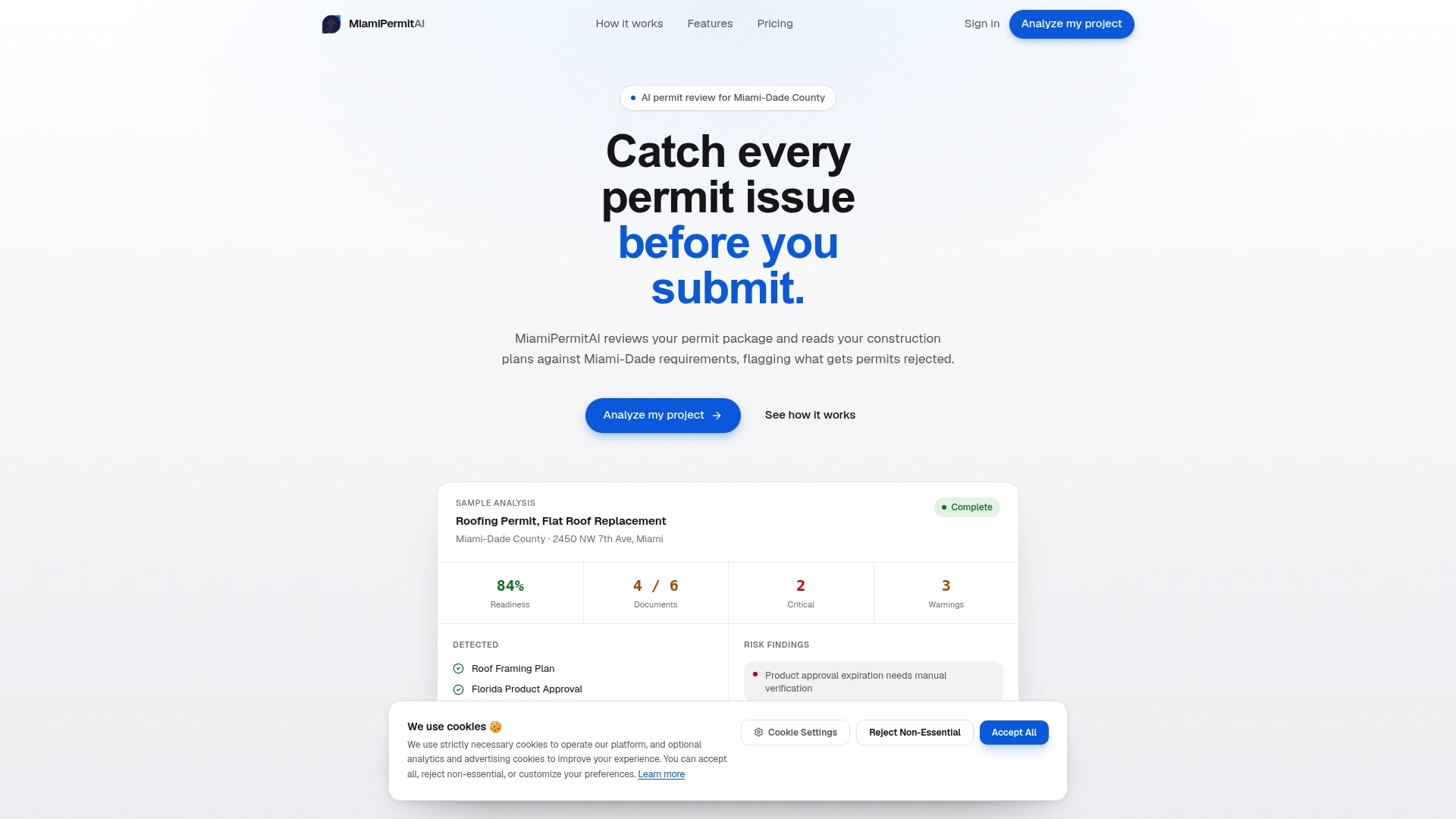
Run your permit package through Miamipermitai before you submit and catch the problems that would otherwise cost you weeks.
Key Takeaways
A complete Miami-Dade building permit application requires a signed and notarized application, electronically sealed plans, a recorded Notice of Commencement, and project-specific addenda, all submitted through the Plan Status and Application Submittal Portal in correctly formatted PDFs.
| Point | Details |
|---|---|
| Core documents are non-negotiable | Every submittal needs a notarized application, fee sheet, contact sheet, sealed plans, and NOC regardless of project type. |
| Outdated forms cause rejection at intake | Miami-Dade will not process applications on old form versions; always download forms on the day of submission. |
| Digital signatures must be verifiable | Scanned handwritten signatures are rejected; licensed engineers and architects must use authenticated digital signatures. |
| Permit-exempt does not mean code-exempt | Work exempt from permitting still must comply with the Florida Building Code or risks forced rework. |
| Solar PV permits require FSEC certification | Solar photovoltaic submittals need an FSEC approval form, wind uplift data, and a completed owner solar disclosure form. |
Recommended
Is your permit package ready?
Run an AI readiness check against Miami-Dade requirements before you submit.
Try your first analysis freeThis article is general guidance and not legal, engineering, or official county advice. Always verify requirements with Miami-Dade County before submitting a permit.