
July 9, 2026
Top 3 TewandTaylor.com Alternatives 2026

Top 3 TewandTaylor.com Alternatives 2026
Getting accurate permit readiness checks before county submission costs time and risks avoidable rejections for contractors, builders, and design firms. Most permit tools miss multi-trade issues or lack county-specific code validation and ongoing status tracking. This comparison covers turnaround, coverage, citation quality, and pricing so contractors, builders, and design firms can match a tool to their workflow.
Table of Contents
MiamiPermitAI
At a Glance
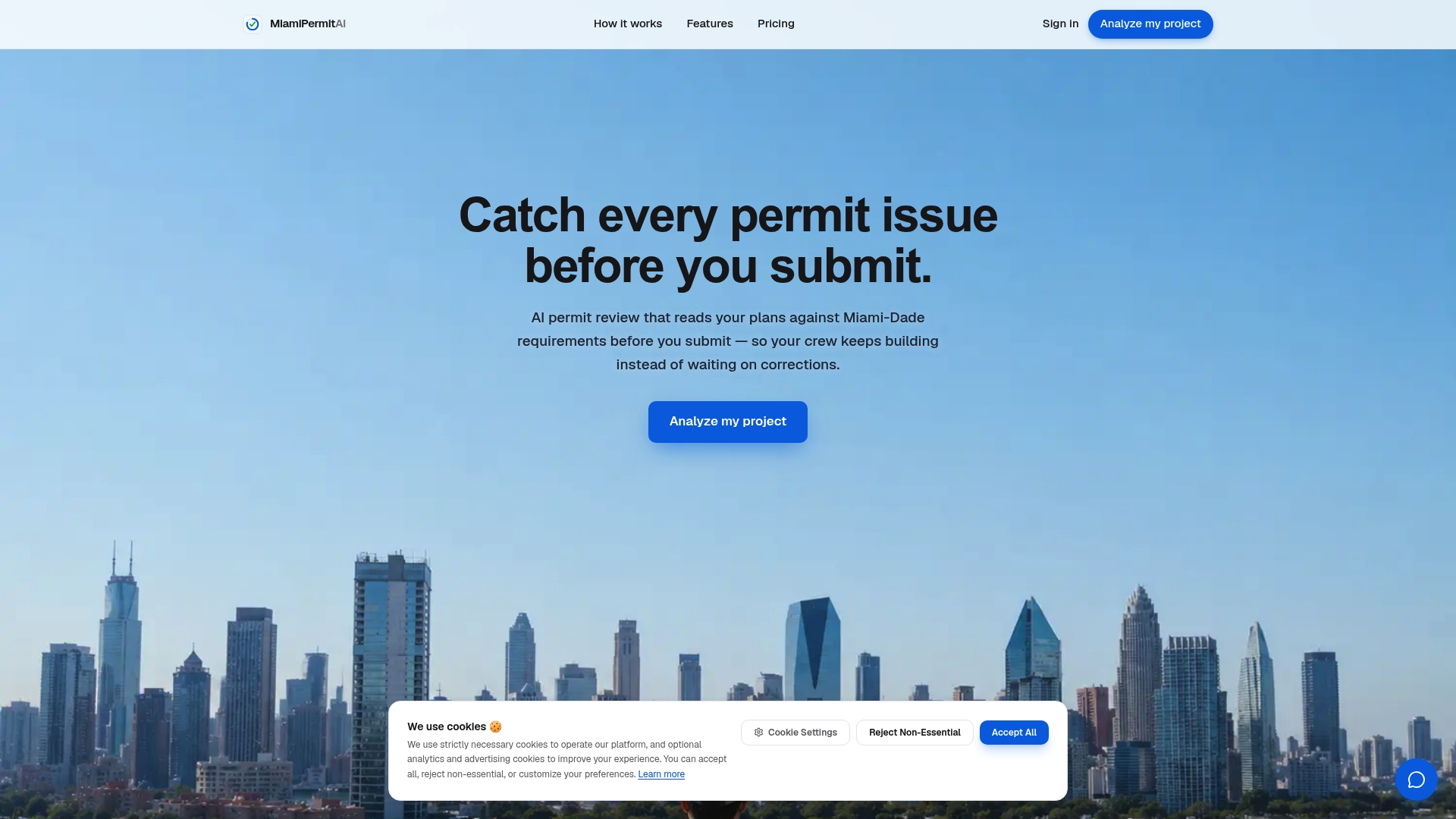
MiamiPermitAI claims analysis turnaround is about 2 minutes. The tool reads uploaded plans and documents against Miami-Dade rules and flags missing stamps, NOAs, and unlicensed work. It also tracks permit status through public Miami-Dade records and sends email updates so you see changes after submission.
Core Features
MiamiPermitAI runs an AI permit review that simulates Miami-Dade plan examiner checks and produces itemized issues with fix recommendations. It checks zoning compliance including setbacks, height, FAR, and use type while flagging missing or invalid NOAs for windows, doors, and roofing. The platform validates structural, electrical, plumbing, and mechanical document completeness, verifies contractor licenses against Florida DBPR, and tracks permit status with automated email alerts.
Key Differentiator
MiamiPermitAI focuses exclusively on Miami-Dade requirements and ties each detected issue to the specific county code or checklist item. It pairs that issue detection with ongoing permit tracking so problems remain visible after you submit to the county. That combination of county-specific checks and live status tracking separates it from general permit checkers.
Pros
The product reduces rejection risk by catching missing documents and code conflicts before you file. That turnaround claim supports fewer re-submissions and lower rework costs for active projects. The interface covers multiple jurisdictions within Miami-Dade and verifies contractor licenses against state records, which cuts the time you spend hunting for license proof.
Cons
- Limited to Miami-Dade County for now, with expansion to other states planned.
Who It’s For
Contractors, builders, and owner-builders filing permits in Miami-Dade who want to cut back on permit rejections and shorten approval cycles. Project managers handling roofing, additions, or mechanical work will see the most immediate benefit. Occasional filers can use single analyses, while frequent filers benefit from the subscription.
Unique Value Proposition
It verifies contractor licenses against Florida DBPR records while crosschecking zoning and Miami-Dade checklists for each permit item. That single workflow reduces the need to cross reference multiple county sources and state license sites manually. For teams that submit multiple permits in the county, this saves administrative time and lowers the chance of a preventable correction.
Real World Use Case
MiamiPermitAI’s marketing materials describe a roofing contractor saving weeks by avoiding rework after a pre-submission analysis. The contractor ran an analysis, found missing NOAs and an unsealed detail, corrected the files, and submitted with fewer county corrections.
Pricing
A free preview is available for quick checks. A single permit analysis costs $300, and the annual subscription is $1,990 with twenty analyses per month included.
Website: https://miamipermitai.com
CodeComply
At a Glance
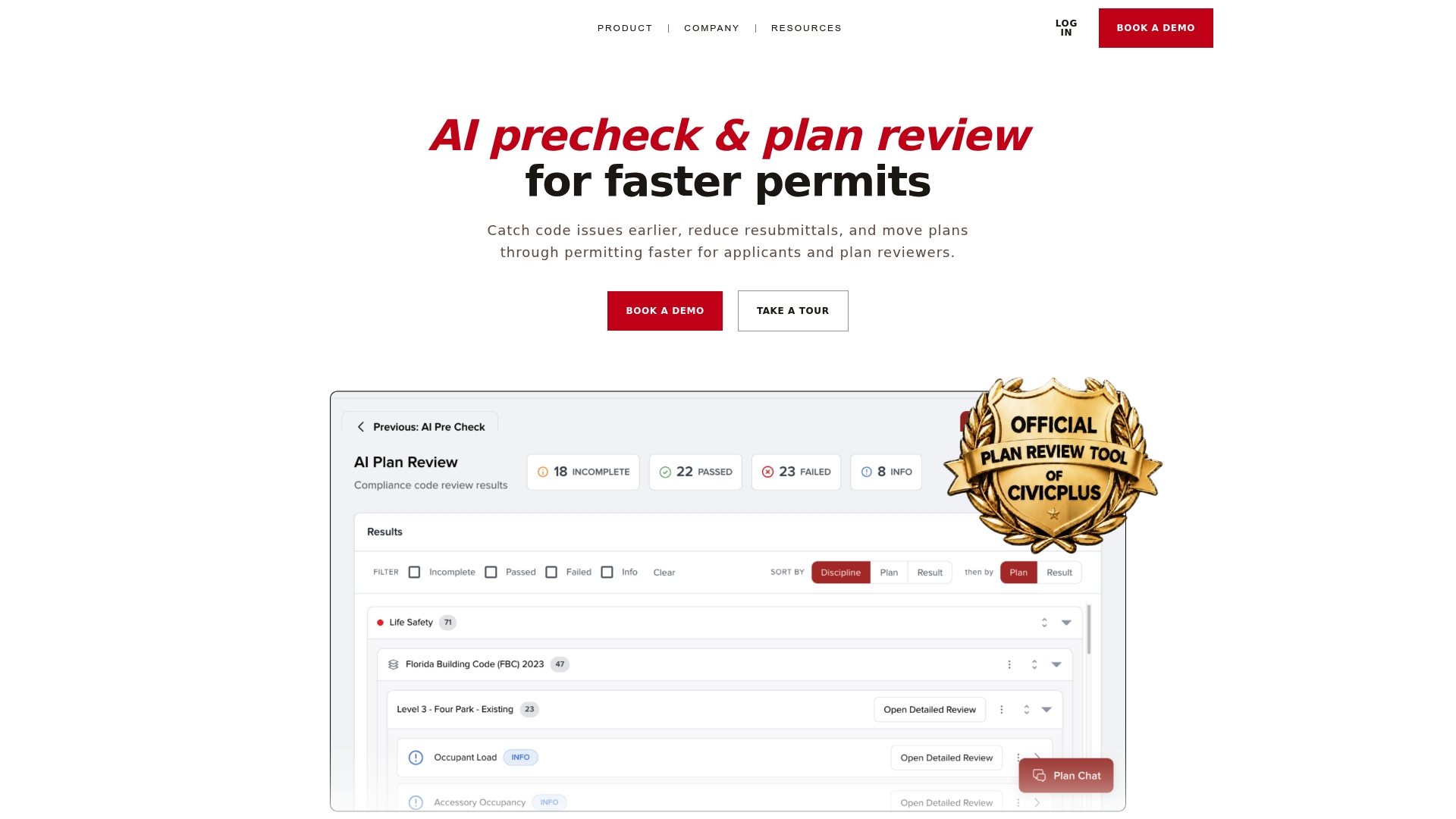
AI automated code checks scan plans against ICC, NFPA, ADA, FHA, and local amendments to flag mismatches before submission. The platform pairs those checks with collaboration tools and version comparison to keep teams aligned. Pricing starts at $250/month for solo architects and scales to enterprise options.
Core Features
CodeComply runs automated compliance assessments and converts detected issues into clear compliance pathways with step by step guidance. It includes AI readiness checks that pre assess plans, a real time Plan Chat for questions inside the plan, and VersionVue for automatic revision comparisons. Compliance reports document findings for reviewers and applicants.
Key Differentiator
The product combines machine driven code checks with built in collaboration so teams can resolve issues from design through approval even when only one side uses the platform. That single workflow reduces back and forth by tying flagged items to concrete next steps. The focus on both reviewer and designer workflows sets it apart from simple checklist tools.
Pros
CodeComply helps catch code issues early, which lowers the chance of county rejections and repeat submissions. Its Plan Chat and VersionVue features keep comments tied to drawing locations so reviewers and architects do not lose context. The platform supports both city review workflows and architect quality checks, making the same package useful on both sides of the permit desk.
Cons
-
Some complex projects still need expert oversight. The AI may miss nuanced judgments that require a licensed professional.
-
Users report AI suggestions often need validation from a human before filing. That adds a review step for borderline items.
-
Pricing varies by project scale and plan, which may be limiting for very small firms or hobbyist builders.
When It May Not Fit
The tool is less suitable for highly unusual or novel building systems that lack established code references. If your plans are low quality scanned images the effectiveness falls because the platform depends on accurate plan data. Small one person shops with minimal budget may find the entry price restrictive relative to ad hoc review needs.
Who It’s For
City building departments and planning staff that want to reduce backlog while keeping human control will get the most value. Architects and design firms seeking early code checks and clearer review records will benefit from the plan level collaboration. City officials in Miami Dade County can use its local amendment checks to align reviews with municipal rules.
Real World Use Case
According to the company, a city building department used CodeComply to analyze submitted plans against local amendments and reduced review time from days to hours while cutting resubmittals. Reviewers received standardized compliance reports that sped decision making. Architects received actionable lists tied to plan sheets for faster corrections.
Pricing
Flexible plans start at $250/month for solo architects. Enterprise and custom options are available with pricing that varies by project size and organizational needs. The vendor offers customized quotes for larger city or regional deployments.
Website: https://codecomply.ai
PlanCheckPro.AI
At a Glance
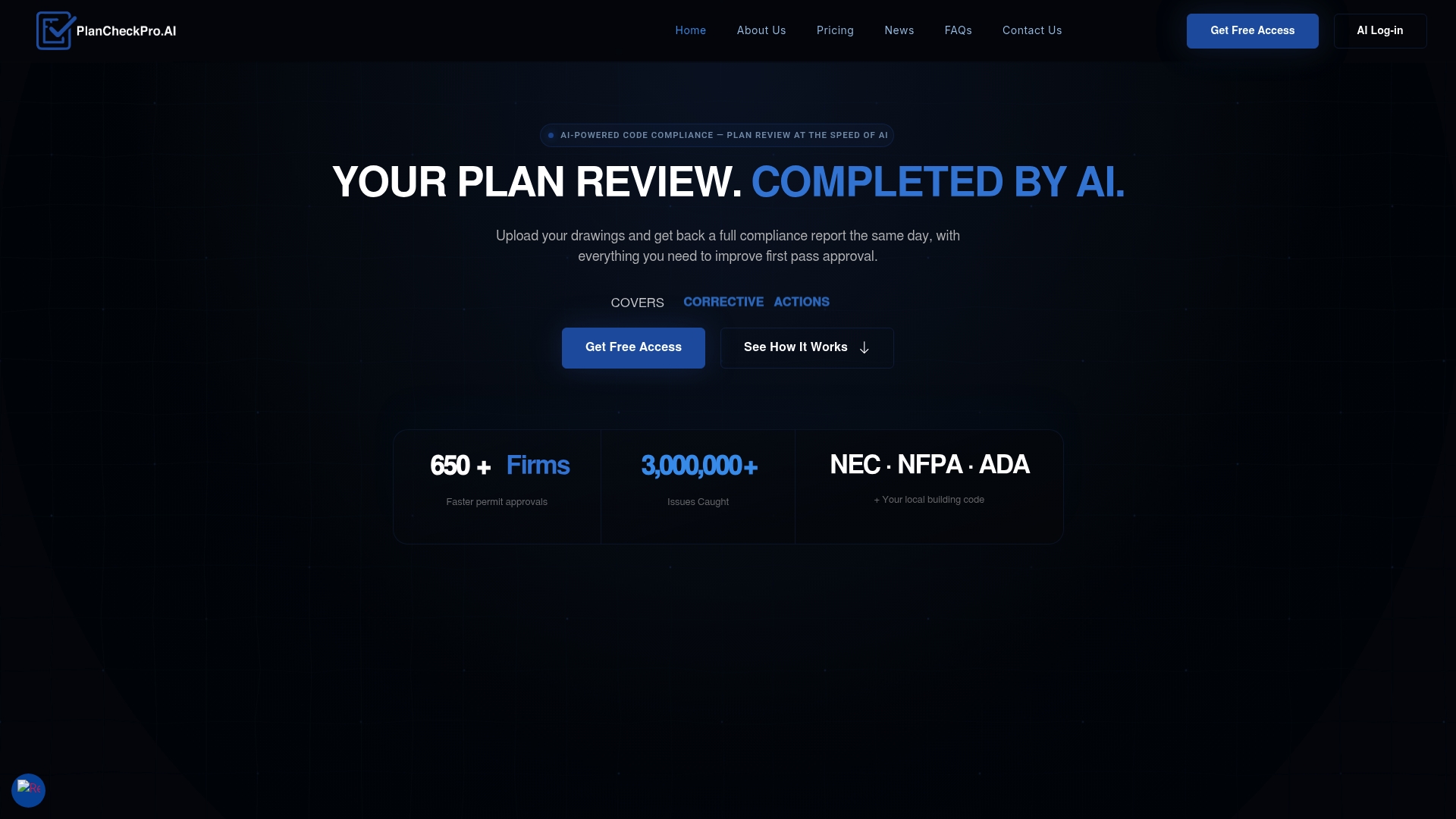
PlanCheckPro.AI reports over 99% system accuracy for its same-day plan reviews. The vendor advertises that level of accuracy while running full discipline checks across mechanical, electrical, plumbing, structural, and building codes. That claim positions the tool as a fast reviewer aimed at cutting common permit delays for design teams and reviewers.
Core Features
The platform runs AI-driven code compliance reviews across building, mechanical, electrical, plumbing, and structural disciplines and returns detailed reports with exact code citations and corrective actions. According to the company, it accepts standard PDF drawings with no format changes and delivers reviews the same day of upload. The engine also claims support for NEC, NFPA, ADA, and local codes including Florida HB 683 workflows.
Key Differentiator
The main differentiator is the vendor claim that PlanCheckPro.AI completes full code reviews in hours while maintaining that accuracy claim. That speed combined with discipline-wide checking sets it apart from single-discipline checkers. For teams that need rapid, citation‑level feedback across multiple code sets, that pairing is the defining feature.
Pros
PlanCheckPro.AI speeds plan review and aims to turn multiweek review cycles into same-day feedback, which can shorten delivery calendars and reduce hold ups. The reports are detailed and consistent, lowering subjective variance between reviewers and giving architects and engineers clear, code‑specific steps to fix issues. The product also advertises compatibility with Florida HB 683 private review pathways, which helps firms operating in that jurisdiction.
Cons
-
AI supports rather than replaces human judgment, so complex or subjective code questions may still need an experienced reviewer.
-
Results depend on clean PDF uploads. Scanned, low‑resolution, or poorly labeled drawings can reduce review quality.
-
Pricing and volume discounts vary. High-volume workloads may require negotiated enterprise plans and custom pricing.
When It May Not Fit
If your office submits nonstandard or layered CAD exports that do not convert cleanly to single, searchable PDFs, PlanCheckPro.AI may fail to read critical notes. Firms that require human-first review workflows for every permit will find the AI output useful but not sufficient on its own. Large enterprises with complex licensing needs should plan for an extended procurement and pricing negotiation.
Who It’s For
Construction firms, architecture and engineering practices, private code reviewers, and building departments looking for rapid, citation‑based compliance checks will find the tool relevant. It fits teams that want to catch code issues before county submission and that can supply clear, standard PDF drawings.
Real World Use Case
An architecture firm uploads a full permit set to PlanCheckPro.AI before county submission. That same upload produces a citation‑rich report that pinpoints mechanical and ADA conflicts, enabling the team to correct items within days rather than waiting weeks for a departmental RFI. The result is fewer revision cycles and faster permit approval attempts.
Pricing
Plans start with a free tier offering one review every 30 days. Paid tiers begin at $99/month for a single user with one review per month and run up to $249/month for firm licenses. The vendor also offers custom enterprise plans for high volume.
Website: https://plancheckpro.ai
Comparison of alternatives
Choosing the right building permit analysis tool is crucial for addressing specific compliance needs efficiently and accurately, especially in region-specific regulatory environments.
Depth of specialization versus feature breadth
MiamiPermitAI excels in focusing exclusively on Miami-Dade County’s building regulations and administrative workflows. This targeting delivers insight for professionals operating within this jurisdiction. On the other hand, PlanCheckPro.AI provides a broad multi-code compliance review, serving professionals managing projects across diverse areas, albeit sacrificing the localized focus offered by MiamiPermitAI. Furthermore, CodeComply integrates collaboration features like VersionVue and Plan Chat to streamline teamwork between agencies, architects, and reviewers.
Viability for unique needs
PlanCheckPro.AI highlights its capability for rapid permits by providing detailed same-day feedback compatible with diverse codes, which is advantageous for expedient planning and adaptation. Alternatively, CodeComply supports long-term project management with its targeted multi-user features, making it suitable for organizations handling extensive, multi-client portfolios. MiamiPermitAI’s precise zoning checks prove for those prioritizing local expertise to navigate specific Miami-Dade requirements, reducing submission rejections and delays.
Best fit
- Homebuilders seeking precise Miami-Dade permit approvals benefit from MiamiPermitAI’s exclusive county-specific compliance focus.
- Design firms managing projects with broader code requirements may prefer PlanCheckPro.AI for its rapid, multiline code support.
- Organizations requiring collaboration tools for municipal reviews will find CodeComply’s features tailored to their workflows.
Our pick
MiamiPermitAI stands out for its deep concentration on the rules and workflows specific to Miami-Dade County building permits, ensuring alignment with local standards to reduce submission errors. While alternatives offer broader or alternative functionalities that may cater to other jurisdictions or workflows, MiamiPermitAI provides expertise for the primary user profile this article addresses. If your projects fall outside Miami-Dade or feature highly experimental designs, exploring alternative solutions like CodeComply could offer complementary benefits. That said, for pinpoint accuracy tailored to the unique needs of Miami-Dade professionals, MiamiPermitAI is the definitive choice.
For evaluating building permit readiness software based on features and pricing models, consider the following options:
| Product | Primary Use Case | Key Differentiator | Pricing | Notable Limitation |
|---|---|---|---|---|
| Miamipermitai | Miami-Dade specific permit analyses with code compliance checks | Focused on Miami-Dade rules and permit tracking | $300/analysis; $1,990/year subscription | Limited to Miami-Dade County |
| CodeComply | General permit compliance for architects and permit reviewers | AI enhanced compliance with collaborative tools | Starts at $250/month for solo architects | AI recommendations may require human validation |
| PlanCheckPro.AI | Multi-discipline code reviews with high accuracy | Rapid review with citation-level feedback | Free tier; paid tiers start at $99/month | Works best with clean, high-quality PDF plans |
How to Avoid Permit Delays and Rejections With the Right AI Tool
Contractors, builders, and owner-builders filing permits in Miami-Dade often face delays because of missing documents, zoning conflicts, or license issues. This challenge highlights the value of using Miamipermitai, which scans your building permit package against Miami-Dade rules before submission. It highlights missing permits, plan inconsistencies, and compliance gaps tied directly to county codes.
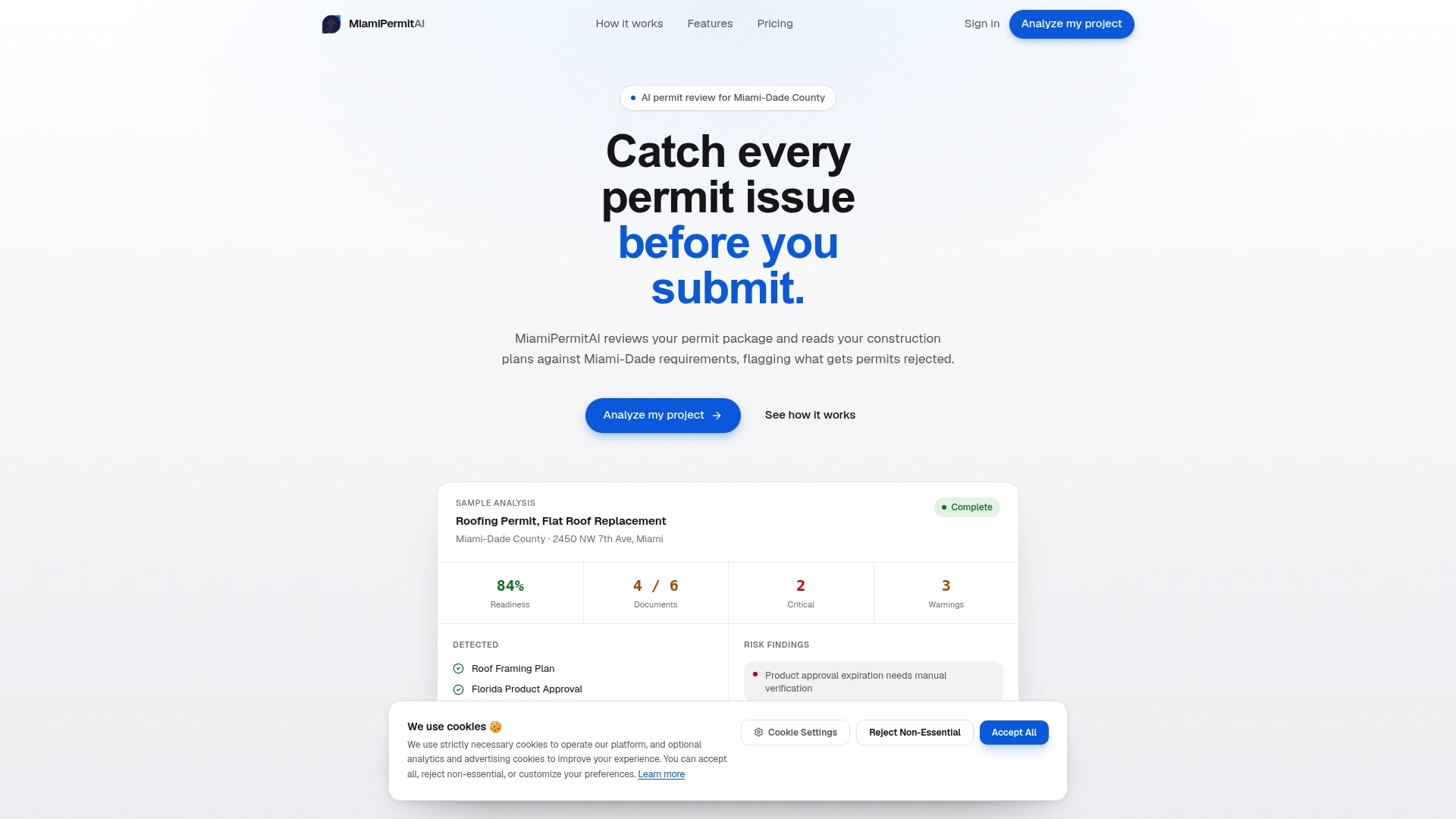
Miamipermitai also tracks your permit status through public county records and sends email updates, helping you stay informed after submission. Visit Miamipermitai to get a clear readiness score and detailed fix lists. Protect your projects from costly rejections and shorten approval times by submitting with confidence using Miamipermitai.
FAQ
How does Miamipermitai help reduce the risk of permit rejection?
Miamipermitai minimizes the risk of permit rejection by identifying missing documents and code conflicts before submission. It runs an AI permit review that flags issues and provides recommendations based on Miami-Dade codes. Users can expect faster approvals and fewer reworks by addressing potential issues in advance.
What is the difference between Miamipermitai and CodeComply?
CodeComply excels in its collaboration features, allowing teams to communicate effectively while resolving code issues. Miamipermitai focuses solely on Miami-Dade requirements, providing detailed insights specific to that jurisdiction. Each platform serves different needs, with Miamipermitai being ideal for Miami-Dade permit submissions.
Which platform offers quicker analysis and feedback?
Miamipermitai promises a turnaround of about 2 minutes for permit analysis results. This efficiency allows users to receive immediate feedback and correct issues swiftly. Teams can save significant time during the permitting process, enhancing project timelines.
Can I use Miamipermitai if my projects are outside Miami-Dade County?
Miamipermitai is designed specifically for Miami-Dade County requirements. Contractors working in other areas may need to explore alternatives that cover those jurisdictions to ensure compliance. For Miami-Dade projects, Miamipermitai remains the best choice.
What support does Miamipermitai provide for contractor license verification?
Miamipermitai verifies contractor licenses against Florida DBPR records, ensuring compliance with state regulations. This feature not only simplifies the permit submission process but also reduces time spent on confirming licenses. Users can rely on this verification to streamline their permit applications.
Recommended
Is your permit package ready?
Run an AI readiness check against Miami-Dade requirements before you submit.
Try your first analysis freeThis article is general guidance and not legal, engineering, or official county advice. Always verify requirements with Miami-Dade County before submitting a permit.