By the MiamiPermitAI team · August 24, 2026 · Updated September 30, 2026
Do You Need a Permit for Impact Windows in Miami-Dade?
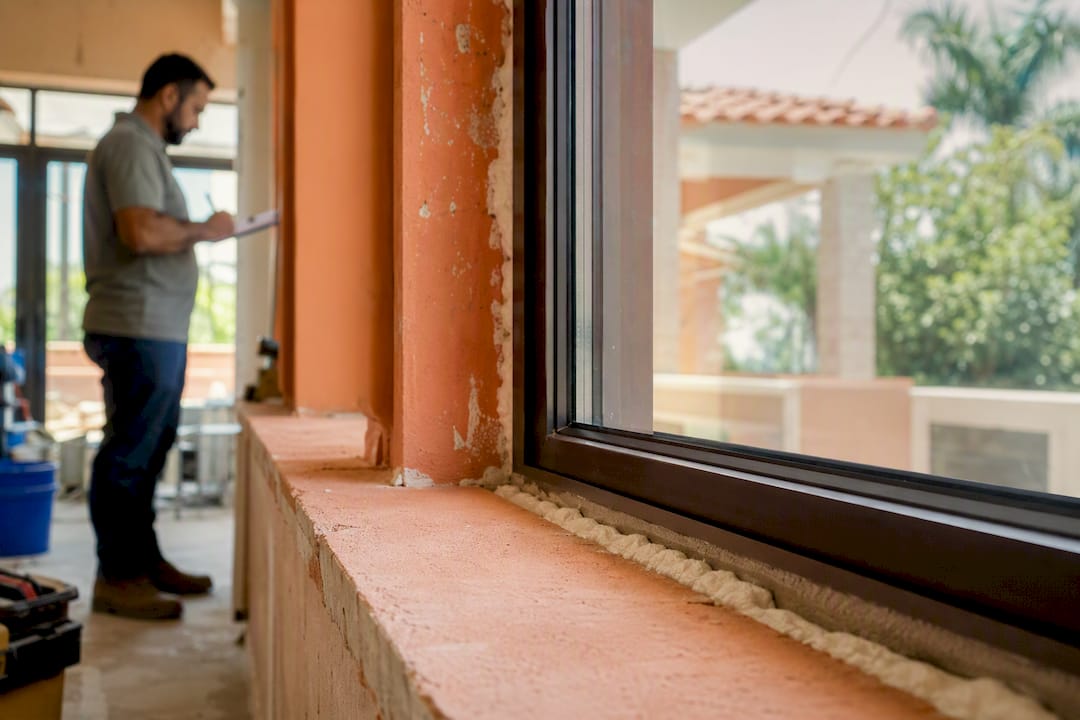
Yes. Miami-Dade requires a building permit to install or replace a window assembly, including like-for-like replacements. Replacing only a broken glass pane is exempt from permitting, but replacing the whole window is not.
Three things to do right now, before you touch a contractor contract or a product brochure:
- Confirm jurisdiction first. Check whether your property falls under unincorporated Miami-Dade or one of the county’s 34 municipalities, since that determines which office actually reviews your file.
- Pull the NOA or Florida product approval for every unique window or door product you plan to install. Each distinct product needs its own paperwork.
- Prepare two sets of sealed plans and mark Category 82 on your Building Permit Application, the code Miami-Dade uses specifically for windows and glass doors.
The catch that trips up most first-time applicants: your plans need to show mullion types, connection methods, and pressure ratings for each individual opening, not just a general product spec sheet. Miss that detail and you’re looking at a rejection, not a quick correction.
Key Takeaways
A compliant Miami-Dade impact window permit depends on matching every opening’s NOA entry to the plan legend before submission, not on the product’s quality alone.
| Point | Details |
|---|---|
| Permit is always required | Miami-Dade requires a building permit for every impact-window installation, including like-for-like replacements. |
| Confirm jurisdiction first | Check your folio number to determine unincorporated county vs. municipal review before filing. |
| NOA marking is critical | Highlight the exact mullion, connection, and pressure rating pages on each product’s NOA. |
| Fees unlock review | Plans stay unreviewed until required upfront fees are paid through the EPS portal. |
| Use a readiness check | Miamipermitai reviews your package against county requirements before you submit to catch mismatches early. |
Table of Contents
- Which Office Handles Your Impact Window Permit Miami-Dade Application?
- What Documents Do You Need for an Impact Window Permit?
- How Do HVHZ Rules and NOAs Actually Work on Your Plans?
- How Do You Submit Through Miami-Dade’s EPS Portal?
- What Do Fees, Timelines, and Inspections Actually Look Like?
- Why Do Impact Window Permits Get Rejected, and How Do You Fix It?
- Who’s Responsible for What: Owner-Builders vs. Contractors
- How Does a Permit-Readiness Review Catch These Errors Before You File?
- What Most Homeowners Get Wrong About This Process
- Check Your Package Before Miami-Dade Does
- Official Resources for Your Application
- Sources
Which Office Handles Your Impact Window Permit Miami-Dade Application?
Not every property in Miami-Dade goes through the same office, and getting this wrong wastes weeks. Properties in unincorporated Miami-Dade route through the county’s Permitting and Inspection Center. Properties inside an incorporated city, Coral Gables, Miami Beach, Hialeah, Doral, and dozens of others, go through that city’s own building department instead.
The fastest way to check jurisdiction is your folio number. Properties with folios beginning with “30” are generally in unincorporated Miami-Dade, though you should always verify through the Property Appraiser’s site or the county’s own portal rather than assuming from the prefix alone.
Municipalities can and do layer their own requirements on top of the county baseline. Some cities require additional zoning sign-offs before a window permit moves forward; others use a different fee schedule or a separate online intake system entirely. If you’re a contractor working across several cities in a given month, this is the single biggest source of workflow friction, because a checklist that works flawlessly in unincorporated Miami-Dade can get bounced in Coral Gables for a missing form the county doesn’t even ask for.
A few things worth confirming before you file anywhere:
- Whether your city has its own e-permitting portal separate from the county’s EPS system.
- Whether the municipality requires a pre-application zoning review for exterior alterations.
- Whether owner-builders face extra scrutiny in that specific jurisdiction.
If you’re filing as a homeowner rather than hiring a licensed contractor, note that owner-builder status comes with its own paperwork burden on top of the standard window checklist. Miami-Dade requires an owner-builder disclosure statement acknowledging that you understand the legal responsibilities you’re taking on, and skipping this step is one of the more common reasons homeowner applications stall at intake. Our guide on applying as a homeowner in Miami-Dade walks through exactly what that form requires and when it applies.
What Documents Do You Need for an Impact Window Permit?
Here’s the complete package Miami-Dade expects to see, item by item, based on the county’s own windows, mullions, and glass doors checklist:
- A completed Building Permit Application (the yellow form) with Category 82 clearly marked and the total square footage of window area being replaced or added.
- Two legible sets of sealed plans, showing elevations, opening identification numbers, and pressure ratings for each individual opening rather than a single blanket rating for the whole job.
- A Miami-Dade Notice of Acceptance or Florida product approval for every unique product going into the job. If you’re mixing a sliding glass door brand with a separate casement window brand, both need their own documentation.
- The window and door legend, filled out per the county’s fast-track permitting legend, with openings numbered clockwise starting from the main entry.
- Contractor license and insurance documentation, if a licensed contractor is doing the work, matched to the name listed as the permit’s registered contact.
- A Notice of Commencement once the job value crosses the threshold that triggers Florida’s recording requirement, filed with the county recorder before the first inspection.
- HOA or condo association approval, specifically for permanent storm shutters, which Miami-Dade’s own guidance flags as a required prerequisite before permit issuance in many communities.
- Your processing-fee receipt, since reviewers won’t open the file until this is on record.
Pro Tip: Don’t assume “two sets of plans” means two identical copies of the same drawing. Reviewers often want the NOA highlighting to appear consistently across both sets, so if you mark up one set and forget the second, you’ve created a mismatch that looks like a red flag even though it’s just an oversight.
The square-footage detail on the Category 82 application matters more than most applicants realize. Miami-Dade uses that number for fee calculation, and a mismatch between the stated footage and what the plans actually show is an easy way to get flagged during intake review, before a plans examiner even looks at the technical content. For a broader look at how this fits into a full renovation package, our guide on required documents for home renovation permits covers overlapping paperwork you’ll likely need if the window job is part of a larger project.
How Do HVHZ Rules and NOAs Actually Work on Your Plans?
Florida’s High Velocity Hurricane Zone designation covers Miami-Dade and Broward, and it changes what “approved product” means in practice. A product with generic Florida Building Commission approval isn’t automatically acceptable here; Miami-Dade reviewers specifically want to see that the product meets HVHZ requirements, and in many cases that means the county’s own Notice of Acceptance, not just the statewide approval.
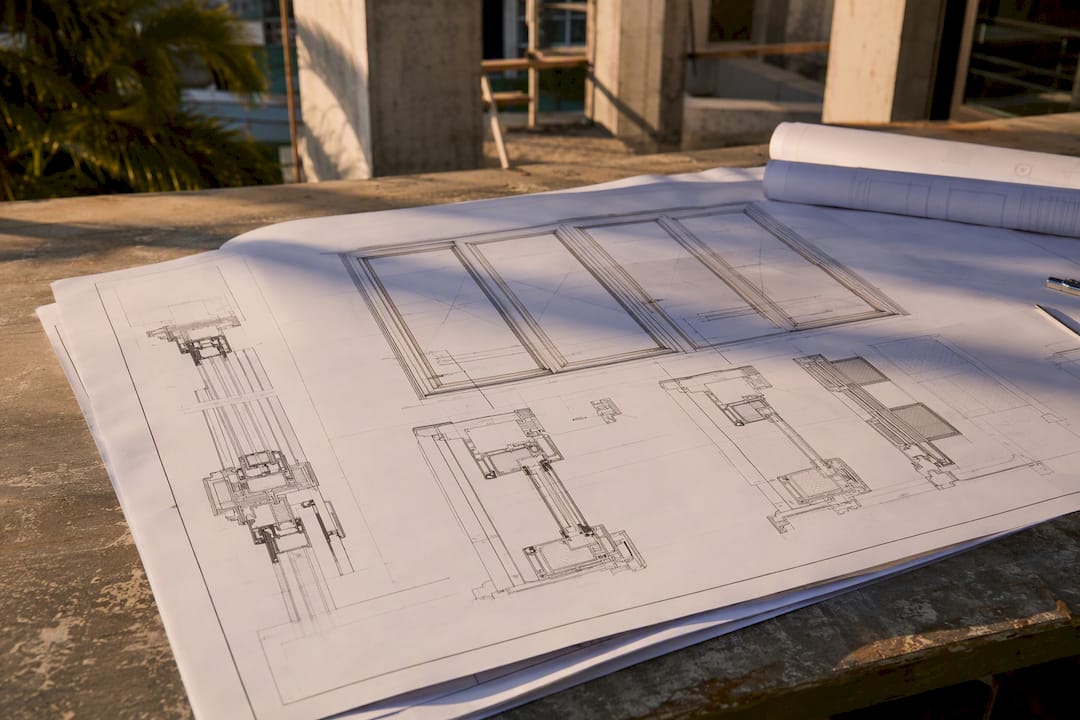
The distinction that confuses people: a Florida product approval and a Miami-Dade NOA are not interchangeable labels for the same document. A NOA is Miami-Dade’s own testing and approval record, specific to HVHZ wind-load conditions, and it’s the stronger document to have on file. A Florida product approval can work in some cases, but only when the reviewer can clearly see it corresponds to the exact openings on your plans.
What reviewers actually check on the NOA itself:
- The specific mullion type used in the installation, highlighted or otherwise clearly marked on the document.
- The connection method between the frame and the structure, since different anchoring systems carry different approval pages within the same NOA.
- Glass type and thickness, which must match what’s drawn on the plan elevation.
- Positive and negative pressure ratings, listed per opening rather than as a single number for the whole house.
According to the county’s own building permit checklist, applicants must mark NOA pages to identify the specific mullion and connection method being used, because a generic, unmarked NOA submission is one of the most common triggers for a rejection at plan review.
The fix is mechanical but easy to skip under deadline pressure: cross-reference every opening ID on your plan legend to the exact page number and pressure value in the NOA packet. If opening #4 on your elevation drawing uses a two-piece mullion rated for a specific pressure range, that same mullion and pressure figure needs to appear, marked, on the corresponding NOA page during your wind mitigation inspection Florida. Reviewers are matching documents side by side, and a one-to-one mapping between opening ID and NOA entry is what they’re trained to look for.
How Do You Submit Through Miami-Dade’s EPS Portal?
Miami-Dade processes essentially all building-related permit submissions, new applications, corrections, revisions, and reworks, through its EPS ePermitting portal. Here’s the sequence that gets you through intake cleanly:
- Register or log into your EPS account and select the correct application type. New window installations use a standard new-application filing; if you’re correcting a previously rejected submission, you’ll select rework or revision instead, not a fresh new application, which creates duplicate records and confusion.
- Upload your sealed plans as PDFs. Watermarking matters here: uploaded files typically need the design professional’s seal visible and legible, not a low-resolution scan where the seal reads as a gray smudge.
- Upload your NOA documentation with the relevant pages clearly marked. If your NOA runs 40 pages and only 3 apply to your specific installation, highlight those 3 rather than making a reviewer hunt through the entire packet.
- Pay the upfront processing fees. This step is not optional or something you can defer. According to Miami-Dade’s own guidance, plans will not be reviewed until required upfront fees are paid, so a submission sitting unpaid in the queue is a submission that isn’t being looked at, no matter how complete the file is.
- Wait for your process number. Once intake accepts the submission, the system issues a process number beginning with C, N, or M, and you’ll get email confirmation tied to that number for all future correspondence.
- Monitor for correction comments. If the plans examiner flags an issue, you’ll receive itemized comments through the portal rather than a phone call, and you respond by uploading a rework tied to the same process number.
- Print your approved plans within the county’s specified window once approval comes through. Miami-Dade sets a limited timeframe for retrieving and printing approved plan sets, and letting that window lapse means starting the retrieval process over.
A rework submission moves faster than a brand-new application in most cases, since it’s attached to an existing process number and reviewers pick up where the last correction cycle left off. That’s part of why getting the file right the first time matters less than most people assume; a clean rework cycle is still faster than most applicants fear, but it only works if you actually fix what was flagged rather than resubmitting the same document with a cover note.
What Do Fees, Timelines, and Inspections Actually Look Like?
Budget for two distinct fee events, not one. The first is the upfront processing fee that unlocks plan review; skip it, and your file sits untouched no matter how complete it is. The second comes at issuance, when the county bills based on the project’s declared valuation, and that’s the number tied to your Category 82 square-footage figure.
Review timelines vary by how clean the submission is and by current office volume, but a straightforward, correctly documented window permit tends to move faster through initial review than jobs bundled with structural changes or additions. Applications with missing NOA documentation or legend mismatches don’t just slow down, they generate correction cycles that can add weeks each time a rework has to go back through the queue.
Once your permit is issued, expect required inspections tied to the installation itself:
- A rough or in-progress inspection in some cases, depending on the scope of work and whether structural modifications accompanied the window replacement.
- A final inspection confirming the installed product matches the approved plans, including the specific NOA-referenced hardware and pressure ratings.
- Documentation on-site for the inspector, meaning your approved plan set and NOA pages should be available at the property, not just filed away digitally.
Permits carry an expiration and printing window after approval, and skipping required inspections or letting the permit lapse can mean reapplying from scratch, fees included. Treat the inspection schedule as part of the project timeline from day one, not an afterthought once installation wraps.
Why Do Impact Window Permits Get Rejected, and How Do You Fix It?
Most rejections trace back to a small handful of repeat offenders, and every one of them is fixable before you ever hit submit.
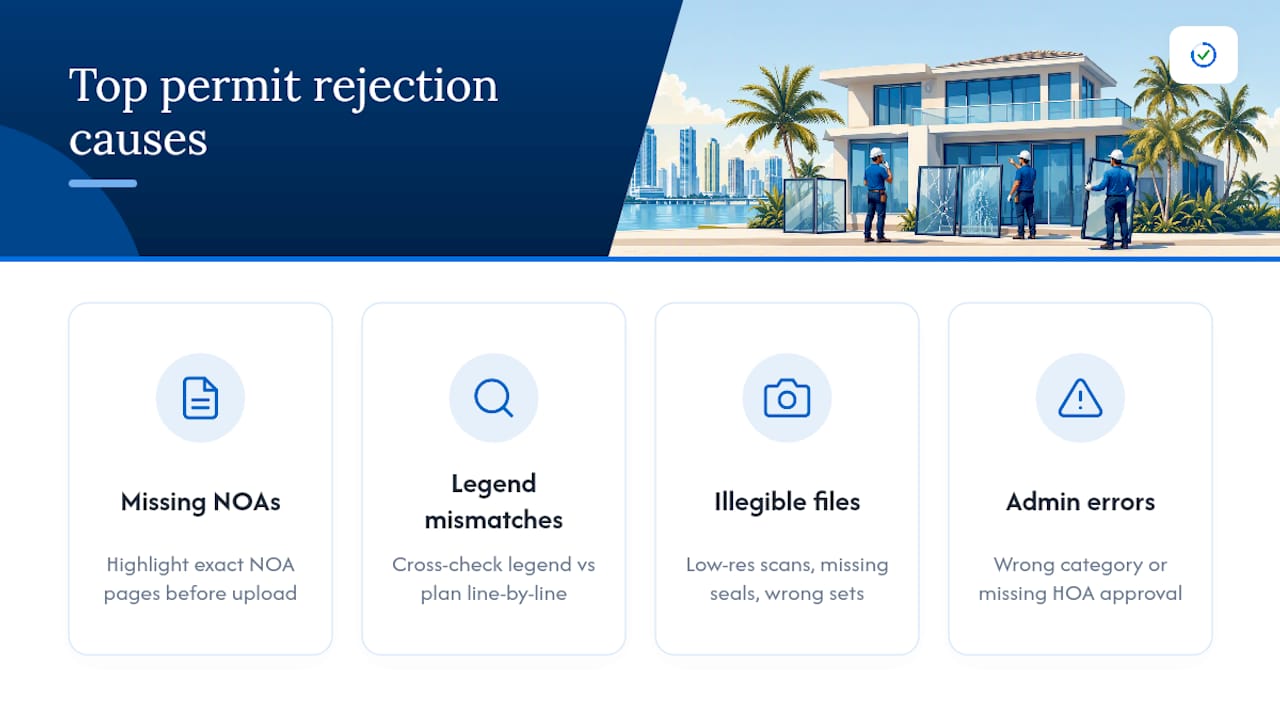
Missing or unmarked NOAs. Submitting the full NOA packet without highlighting the pages that apply to your specific mullion and connection is one of the most common triggers for correction comments. Fix it by marking the exact pages before upload, every time, even when it feels redundant.
Legend and plan mismatches. If your window and door legend lists five openings but your elevation drawing shows six, or the pressure rating on the legend doesn’t match what’s printed on the plan sheet, that inconsistency stops review cold. Cross-check legend against plan sheet line by line before submission, not after a rejection notice arrives.
Illegible or improperly formatted files. Low-resolution scans, missing watermarks on the design professional’s seal, or the wrong number of plan sets uploaded all cause intake bounce-backs. Confirm file specs against the EPS portal’s requirements before you upload, not during a resubmission scramble.
Wrong permit category. Selecting a general renovation category instead of Category 82 for windows specifically can misroute your application entirely.
Missing HOA approval for shutters. If permanent storm shutters are part of the scope, collect your association’s written approval before filing, since retrieving it mid-review adds a delay you could have avoided upfront. Our breakdown of what reviewers check in construction plans digs deeper into the specific triggers examiners flag most often.
Pro Tip: Keep a single master folder with every opening’s NOA page, legend entry, and plan reference grouped together before you upload anything. Reviewers are essentially doing a cross-check exercise, and if you’ve already done that cross-check yourself, you’ll catch the mismatch before they do.
Who’s Responsible for What: Owner-Builders vs. Contractors
Homeowners filing as owner-builders take on legal responsibilities that a licensed contractor normally absorbs. That includes signing a disclosure acknowledging you understand code compliance falls on you, and it often means facing closer scrutiny during plan review since you’re not backed by a contractor’s license history.
Licensed contractors carry a different set of obligations: current license and insurance documentation on file, and being listed as the registered signatory contact within the EPS system so correction comments route to the right person.
A quick reference for who needs what:
- Owner-builders need the disclosure statement, proof of property ownership, and should expect to personally coordinate every inspection.
- Contractors need active license verification, current insurance certificates, and registration as the permit’s point of contact.
- Both need the same core package: sealed plans, NOA documentation, and the completed Category 82 application.
Mixing these up, filing as owner-builder while a contractor actually performs the work, creates liability confusion the county’s system isn’t built to sort out for you.
How Does a Permit-Readiness Review Catch These Errors Before You File?
Miamipermitai reviews an assembled permit package against the exact requirements outlined above before it goes anywhere near the county’s intake queue. The platform checks folio jurisdiction against Miami 21 zoning and FEMA flood-zone data, cross-references each opening’s NOA entry against the plan legend, validates that Category 82 and the stated square footage line up, and verifies contractor license status through Florida DBPR records.
It also runs the legibility and watermark checks reviewers care about, flagging a scan that’s too low-resolution before that becomes a rejection notice weeks into the process. The output is a readiness score plus a specific fix list, not a generic pass or fail.
None of this replaces hiring a licensed contractor or a design professional’s sealed plans; it’s a check layered on top of that work, built to catch the mismatches, missing pages, and legend inconsistencies that turn a clean application into a multi-week rework cycle.
What Most Homeowners Get Wrong About This Process
The conventional advice treats impact window permitting like a paperwork formality, something you rush through so the “real work” of installation can start. That’s backward. The permit package is the real work, in the sense that a mismatched legend or an unmarked NOA page costs more time than the installation itself.
What gets underestimated: the plan-review stage is fundamentally a matching exercise. Reviewers aren’t evaluating whether your chosen window is a good product; they’re checking whether the paperwork you submitted internally agrees with itself. A legend that says one thing and an NOA that shows another isn’t a technical failure, it’s a consistency failure, and those are the easiest ones to prevent and the most common ones to see anyway.
If you take one thing from this article, take this: build your submission the way a reviewer will read it, opening by opening, document by document, before you ever touch the EPS upload button. Everything else, fees, timelines, inspections, follows naturally once that foundation is solid.
Check Your Package Before Miami-Dade Does
Miamipermitai exists for the exact moment described above, right before you hit submit on the EPS portal, when a mismatched legend or an unhighlighted NOA page can cost you a multi-week rework cycle instead of a same-day fix.
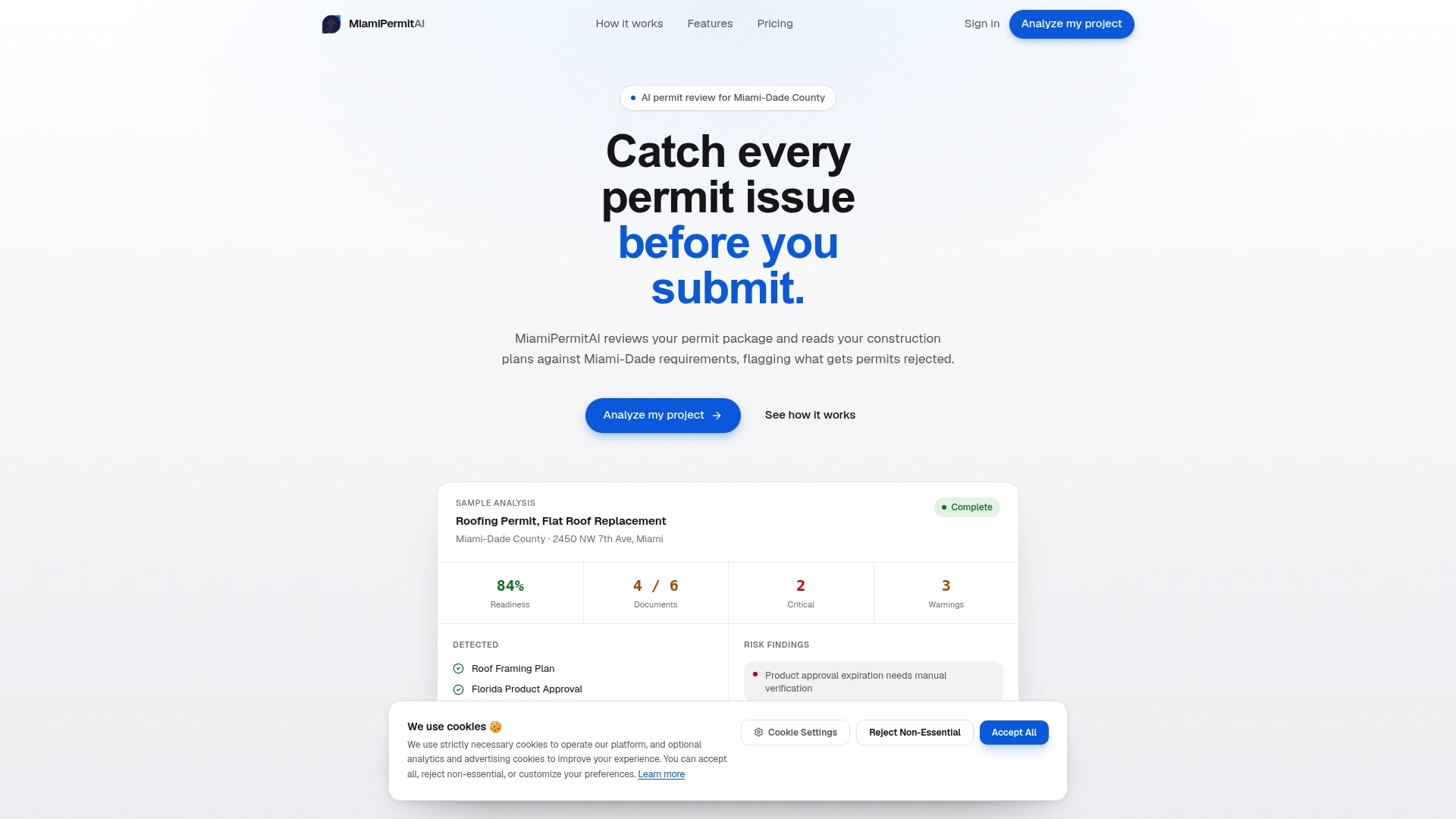
The platform reads your uploaded plans and documents against Miami-Dade’s own requirements, folio jurisdiction, NOA cross-referencing, Category 82 validation, contractor license status, and flags what’s missing or mismatched before a county reviewer ever sees it. You choose a one-time report for a single permit package or a subscription if you’re a contractor running multiple submissions a month. Upload your sealed plans, your NOA documentation, and your completed application at Miamipermitai, and you’ll get a readiness score with a specific fix list, typically well before your next EPS submission window opens.
Official Resources for Your Application
Download the county’s windows and glass doors checklist and window/door legend directly, then submit through the EPS ePermitting portal. For deeper procedural help, see our guide on sealed plans and permit submission.
Sources
- NEW WINDOWS, MULLIONS GLASS DOORS — Miami‑Dade building permit checklist
- Miami‑Dade County window & door legend for fast track permitting
Recommended
Is your permit package ready?
Run an AI readiness check against Miami-Dade requirements before you submit.
Start your first projectThis article is general guidance and not legal, engineering, or official county advice. Always verify requirements with Miami-Dade County before submitting a permit.